Close
You have no items in your shopping cart.
Search
RSS

Blog

Can a Smart Home Reduce Your Electricity Bill in Malaysia

Can a Smart Home Reduce Your Electricity Bill in Malaysia


Certainly, a smart home can help you save on your electricity bill in Malaysia but it doesn’t mean you will get cheaper electricity costs. Automation, smart lighting, sensors and energy monitoring help reduce unnecessary electricity consumption and save you money.

For example, schedules can prevent appliances or devices from running longer than they should, and can turn off lights when a room is empty. The biggest advantage is the increased control that homeowners have over when, where and how electricity is used. 


Why Does Electricity Usage Matter in Malaysia? 

The amount of electricity you use is largely determined by the size of your house, the appliances you have, your daily routines and how long those appliances are switched on. TNB said electricity consumption would go up with longer hours of operation, larger appliances and higher loads like air-conditioners, fans and water heaters. 

This is especially important in Malaysia where air conditioning, lighting and other electrical appliances are part and parcel of daily life. Your smart home doesn't need to control everything in your house. Automations can help cut down on wasted electricity on a daily basis. 


How Can a Smart Home Reduce Electricity Bills?


1. Smart Lighting Stops Lights From Being Left On

One of the easiest ways to cut down on wasted electricity is to automate your lighting. Instead of people needing to remember to turn off lights, smart lighting can follow schedules, scenes or sensor triggers. The hallway lights might switch on when someone moves and switch off automatically after a period of time. This is particularly useful in places like stairwells, bathrooms, storerooms and hallways where lights are often left on.


2. Smart Sensors Reduce Unnecessary Usage

A smart sensor can help your home respond to what is actually happening.  For example, a motion sensor in a bathroom can turn the light on when someone enters and off after the room becomes empty. A door or window sensor can also be connected to other smart devices to create useful automation routines.

This changes the way your home uses electricity. Instead of lights staying on because someone forgot to switch them off, the system can respond automatically.


3. Scheduling Prevents Electricity Waste

Many devices don’t need to be on all the time. Smart plugs and switches can be programmed to turn on or off a specific device at a set interval with automation routines. For example, outdoor lights may turn on at dusk and turn off automatically at night. Routines can also be set up according to your family’s daily schedule.

For example, a “Away” scene could automatically turn off certain lights and devices if everyone usually leaves the home at 8 a.m. When someone comes back, you can reestablish the devices that are really needed with a “Home” scene.


4. Smart Home Automation Can Make Energy Monitoring Easier

Knowing that your electricity usage is high is useful. Knowing where the electricity is going is even better. Energy monitoring can help homeowners understand consumption patterns and identify areas where electricity may be wasted.

For example, if your electricity usage consistently increases during certain hours, you can investigate which appliances or routines are responsible.TNB also recommends monitoring electricity consumption to identify where energy can be used more efficiently.


5. Smart Automation Helps Build Better Daily Habits

Sometimes the problem is not an inefficient appliance. It is the way we use it. A homeowner may leave lights on in empty rooms, forget to switch off certain devices before sleeping or run appliances longer than necessary. Automation reduces the number of these small mistakes.

Over weeks and months, preventing repeated unnecessary usage can contribute to lower electricity consumption. This is why smart home energy savings are often about consistency rather than one dramatic change.


Real-Life Use Cases for Malaysian Homes


The Family That Forgets to Switch Off Lights

“Picture a family living in a two-story house. The children often leave the lights on in the bedroom and bathroom after they’ve gone. Homeowners can install motion sensors and smart lighting in certain areas instead of constantly reminding them. The lights can be programmed to turn themselves off if the room is empty. The family still gets the light they need, but no more.


The Homeowner Who Leaves for Work Every Morning

A working couple may leave the house at different times and occasionally forget to switch off lights, fans or selected devices. An Away Scene can automatically turn off selected smart devices when everyone leaves. This provides convenience while reducing the chance of electricity being consumed unnecessarily during the day.


The Home With Multiple Lighting Zones

A larger Malaysian home may have many lights across the living room, dining area, bedrooms, kitchen and outdoor areas. Instead of switching everything on at once, homeowners can create different scenes based on how the space is being used.

For example:

  • Morning: Only essential lighting
  • Evening: Living and dining lights
  • Movie Night: Dim selected lights
  • Sleep: Switch off unnecessary lights
  • Away: Turn off selected lighting automatically

This gives homeowners more control over electricity usage without sacrificing comfort.


Tips & Best Practices for Saving Electricity


Start With High-Waste Areas

Do not install smart devices everywhere just because you can. Start with areas where electricity is commonly wasted, such as corridors, bathrooms, outdoor lighting and rooms that are frequently left empty.


Automate Repetitive Tasks

Think about what your family repeatedly forgets to do. If the answer is "switch off the lights", start with smart lighting. If you want better control over selected appliances, consider smart plugs or switches.


Keep Automation Simple

A few useful automations are better than dozens of complicated routines. Your system should make energy saving easier, not become another thing your family has to manage.


Common Smart Home Energy-Saving Mistakes


Mistake 1: Thinking Smart Devices Automatically Save Electricity

A smart bulb does not necessarily save more electricity simply because it is smart. Energy savings come from efficient lighting and using automation to reduce unnecessary operating time.


Mistake 2: Automating Everything

Adding smart devices to every appliance can increase your upfront cost without creating meaningful savings. Focus on devices that solve a real problem.


Mistake 3: Ignoring the Biggest Energy Users

Switching off a few lights is useful, but homeowners should also pay attention to major loads such as air conditioning, water heaters and refrigerators. Smart automation works best as part of a wider energy-efficiency strategy.

Mistake 4: Choosing Devices Without Considering Compatibility

A collection of smart devices that cannot communicate properly can make automation difficult. Choose a compatible ecosystem before buying multiple devices.


Smart Home vs Traditional Home: Which Uses Less Electricity?

Feature Traditional Home Smart Home
Forgotten lights Common Can switch off automatically
Remote control Limited Smartphone or voice control
Switching lights Manual Manual, scheduled or automated


How to Get Started With a More Energy-Efficient Smart Home

You do not need to convert your entire house immediately.

Step 1: Identify Your Electricity Waste

Look around your home and take note of what lights, appliances or devices are often left on when they don’t need to be.

Step 2: Choose One Area

Start with one high-use or high-waste area, such as the living room, hallway or bathroom.

Step 3: Pick the Right Smart Device

Depending on the problem, you might need a smart bulb, smart switch, smart plug, motion sensor or a broader automation system.

Step 4: Create Simple Automations

Start with practical things like automatic lighting, schedules and Away or Sleep scenes.

Step 5: Monitor the Results

Compare your electricity consumption over time to see if your new habits and automations are really reducing unnecessary consumption.

Step 6: Expand Gradually

Once the first automation is working well, begin branching out to other areas of your home.


Ready to Make Your Home Smarter?

Book a free smart home consultation with Copper Connect and explore how smart lighting, smart security and home automation can work together in your home.

8 Common Smart Home Myths That Stop People From Getting Started

8 Common Smart Home Myths That Stop People From Getting Started


Most homeowners believe that smart homes are expensive, complicated, hard to install or it is only for new houses. In fact, that’s not true. You can start small with smart lighting, smart switches, sensors, or security devices and gradually build a system around your lifestyle.

Smart home technology has become more accessible, but many Malaysian homeowners are still hesitant to get started. Some think they need to renovate their entire house. Others worry about complicated installation, unreliable internet, expensive devices, or having too many apps.

Let's clear up eight of the most common smart home myths.


FAQ: Do Smart Homes Cost a Lot of Money?

Not necessarily. You don’t have to automate your entire house all at once. A smart home can start with one or two devices to address one particular problem. For example, you could start with a smart switch in the living room, a smart door lock or a motion sensor for your hallway. Once you’ve figured out what works in your house, you can start adding more devices. The key is discovering your needs and not just buying every smart gadget you see.


FAQ: Will a Smart Home Be Too Complicated for My Family?

A good smart home should actually make daily life simpler. Instead of controlling every device separately, you can create scenes that combine several actions. For example, a Good Night scene could turn off the living room lights, dim the bedroom lights and activate selected security devices with one command. This is especially useful when several family members use the home. The goal is not to make your family learn more technology. The goal is to reduce repetitive tasks.


FAQ: What Happens If My Wi-Fi Goes Down?

That depends on your smart home system and your device. Not all smart devices function the same way when the internet is down. However, cloud-dependent features may need an internet connection, although some systems will still be able to run certain automations locally. This is why homeowners should think about the bigger ecosystem when buying individual devices. An effective Wi-Fi network is also key, particularly in bigger landed properties where devices might be positioned on different floors.


FAQ: Do I Need a Smart Home Hub?

Not always. Some smart devices connect directly to Wi-Fi and don’t rely on a separate hub. Others connect devices through a hub and enabling more automation. A hub can be especially helpful when you need multiple sensors, switches, security devices and automations to communicate. The answer depends on how large and complex you want your smart home to be.


FAQ: Can I Mix Smart Home Brands?

Yes, but compatibility matters. There is no need to buy all your products from one brand. But make sure the devices are compatible with the same ecosystem or communication standards before you buy. Compatibility with platforms like Apple Home, Google Home, Alexa, SmartThings or Matter can be a consideration in how easily different products will work together. Choosing the right ecosystem first can help you avoid the common problem of ending up with several devices that can’t talk to each other.

Read more: How to Choose the Right Smart Home Ecosystem Before You Buy


The 8 Smart Home Myths You Should Know


Myth 1: Smart Homes Are Only for Luxury Houses

This is one of the biggest misconceptions. Smart home technology can be used in condos, apartments, terrace houses, semi-detached homes and larger landed properties. A condominium owner might start with smart lighting and a smart door lock. A landed homeowner may eventually add security cameras, sensors, automated curtains and whole-home lighting control.


Myth 2: You Need to Automate Everything at Once

You don't. In fact, starting with everything at once can make your system unnecessarily complicated. Instead, identify the most frustrating daily task.

Do you regularly forget to switch off the lights?

Do you worry about whether the front door is locked?

Do you want your curtains to close automatically in the afternoon?

Do you keep checking whether appliances are switched off before leaving?

Start there. Once one automation becomes part of your daily routine, you can expand from there.


Myth 3: Smart Devices Are Just Expensive Gadgets

Smart technology can certainly include fun features, but the best smart home systems solve practical problems. A motion sensor can automatically activate hallway lighting when someone walks past at night. A smart door lock can let you enter without searching for your keys. A smart curtain motor can automatically close curtains during certain times of the day. Smart lighting can create different scenes for working, relaxing, entertaining and sleeping. The value is not simply in owning a "smart" device. The value comes from what the device does for you every day.


Myth 4: Smart Homes Always Increase Electricity Bills

Automation doesn’t automatically cut every home’s electricity bill because smart devices themselves still use electricity. But automation can help homeowners address unnecessary consumption. For example, lights can be programmed to turn off when they are not needed and motion sensors can prevent lights from being left on in unoccupied areas.


Myth 5: Smart Homes Are Only Useful for Tech Enthusiasts

You do not need to be good with technology to enjoy a smart home. Modern systems are designed around familiar controls such as smartphone apps, voice commands, physical switches and automated routines. For example, a homeowner can simply say: "Good night." The system could then turn off selected lights, close the curtains and activate a security scene. For family homes, keeping familiar physical controls alongside automation can also make the system easier for everyone to use. 


Myth 6: You Must Replace All Your Existing Devices

Not necessarily. A smart home can often be built around your existing home, not replace everything. For example, smart switches can enable homeowners to retain existing lights that are compatible but incorporate features such as scheduling, remote control and automation. This can be particularly useful for Malaysian homes with multiple downlights in the living room, kitchen and bedroom. For renters or homeowners who want to make minimal changes, smart bulbs and plug-in devices are a good place to start.


Myth 7: Smart Homes Are Too Difficult to Maintain

Smart homes do need some planning and maintenance, but if they are designed properly, they should not require constant attention. Often the greatest source of frustration is not technology itself but poor planning. Buying random devices from different brands can lead to multiple apps, compatibility issues and confusing automations. Best to decide on your ecosystem first, then go for devices that work with it.


Myth 8: Smart Homes Are Only About Convenience

Convenience is one benefit, but it is not the only one. Smart home automation can also support security, comfort, energy management and accessibility. For example:

This is where a smart home becomes more than a collection of gadgets. It becomes a system designed around how you actually live.


Why Smart Homes Matter for Malaysian Homeowners

Malaysia's homes have their own practical considerations. Condominiums often have limited space and renovation restrictions. Landed homes may have multiple floors, larger living areas and more devices that need to communicate with each other. Malaysia's warm climate also makes lighting, curtains, air-conditioning and energy management important parts of everyday home life.


Real-Life Smart Home Use Cases


Condo Owner in Kuala Lumpur

A condo owner may begin with smart lighting in the living room, a smart door lock and automated curtains. A simple Leaving Home scene could turn off selected lights, close the curtains and activate security devices. No major whole-house automation is required.


Family with Young Children

Parents can use motion sensors to activate soft hallway lighting at night. Bedroom lighting can also be scheduled around bedtime routines. Instead of manually controlling everything every night, the home can handle repetitive tasks automatically.


Landed Homeowner

A landed home may have multiple rooms and floors. Instead of installing individual smart devices without a plan, the homeowner can build a broader ecosystem covering smart lighting, security cameras, door sensors, smart locks and curtain motors. This creates a more consistent experience across the home.


Tips for Building a Better Smart Home


Prioritise Compatibility

Always check compatibility before buying. Not all smart devices work with the same ecosystem, so choosing incompatible products can lead to connection issues or multiple apps. A cheap device is not a good deal if you eventually need to replace it because it does not work with your other devices.

Think About Future Expansion

You may only want smart lighting today, but you may eventually want smart security, automated curtains or sensors. Choose a system that can support additional devices as your needs grow. This can save you from replacing your existing setup later.

Keep Automation Simple

You do not need dozens of complicated routines. Start with a few useful scenes, such as Good Morning, Leaving Home or Good Night, that make your daily routine easier. Simple automations are often more useful than a system that feels complicated.


Common Smart Home Mistakes to Avoid


Automating everything

Not every device or action needs to be automated. Trying to automate every part of your home can make the system unnecessarily complicated and may even create frustrations when an automation does not behave as expected. Focus on repetitive tasks that genuinely save time, improve comfort or add convenience.

Ignoring physical controls

Family members and guests may still prefer traditional switches. A good smart home should combine automation with familiar physical controls so everyone can use it comfortably.

Skipping professional advice

Advanced setups involving wiring, smart switches, security or multiple devices can benefit from proper planning. Professional advice can help you avoid compatibility issues and choose a system that suits your home.


Smart Home vs Traditional Home

Feature Traditional Home Smart Home
Lighting control Manual Manual, app, voice or automation
Security monitoring Mostly manual Remote alerts and automation
Curtains Manual Scheduled or automated


How to Get Started With a Smart Home

You don't need to transform your entire home overnight.

Start with these five steps:

Step 1: Identify One Problem

Choose one daily frustration you want to solve.

Step 2: Choose One Room

Start with your living room, bedroom, entrance or another frequently used space.

Step 3: Pick the Right Category

Depending on your goal, consider smart lighting, smart switches, smart sensors, smart security, smart locks or automated curtains.

Step 4: Check Compatibility

Make sure your chosen devices can work together within your preferred ecosystem.

Step 5: Expand Gradually

Once the first setup works well, add more devices and automation based on your actual needs.


Ready to Start Your Smart Home?

Book a FREE smart home consultation with Copper Connect and speak with our smart home consultants about the right solution for your home.

Creating a Safe Smart Home Environment for Toddlers

Creating a Safe Smart Home Environment for Toddlers


A smart home can help make the environment safer for toddlers by automatically monitoring risks, preventing accidents and giving parents more visibility around the home. With smart lighting, security devices, sensors and automation, Malaysian families can have greater peace of mind and reduce typical household hazards.


1. Can a smart home really make my home safer for toddlers?

Yes, but parental supervision can’t be replaced and smart home technology provides an added layer of protection. Smart door locks, motion sensors, water leak sensors, indoor cameras and smart lighting all work together to mitigate everyday risk by automating safety routines, sending alerts and allowing parents to monitor their homes from a distance.


2. Which smart home devices are best for families with young children?

The most useful devices include:

  • Smart door locks
  • Door and window sensors
  • Smart CCTV cameras
  • Motion sensors
  • Water leak sensors
  • Smart lighting
  • Smart smoke detectors
  • Smart plugs
  • Smart hubs for automation

These devices work together to create a connected safety system rather than acting as standalone products.


3. Is a smart home suitable for Malaysian homes?

Definitely. Smart home devices can be fitted in condominiums, apartments, terrace houses or bungalows depending on the layout of the home and the needs of the family. In their busy schedules, parents in Malaysia are often juggling their work, school and household commitments. Smart automation can assist by automating small but critical safety functions.


4. Do smart home devices require constant internet?

Most devices use Wi-Fi, Zigbee or Matter as their primary communication protocols. Many of the automation routines will continue to run locally, even if the internet connection is lost temporarily. This is especially true if you have a compatible smart hub. However, remote access and phone notifications typically require an internet connection.


5. Will smart home systems become complicated to use?

Not at all. Modern smart home ecosystems allow multiple devices to be controlled through a single app. Once automations are configured, most tasks happen automatically without requiring daily interaction. For parents, the goal is convenience not adding more work.


6. Are smart home systems expensive?

No. Many Malaysian homeowners begin with a few essential devices like smart lighting, a smart door lock or security sensors before gradually expanding their system. Because smart homes are modular, families can build their setup according to their budget.


Why Creating a Safe Smart Home Matters in Malaysia

Toddlers are naturally curious and love exploring every corner of the house. They often open doors, touch switches, climb onto furniture, and reach for anything within their sight, which increases the risk of accidents at home. Smart home automation helps reduce these risks by monitoring your home, sending instant alerts, and automating safety features, allowing parents to respond more quickly while providing an extra layer of protection.


Real-Life Use Case


Your toddler wakes up at night

Instead of walking through a dark hallway, motion sensors automatically activate soft pathway lighting. This reduces the chance of falls while helping parents attend to their child without turning on harsh ceiling lights that may make it harder for everyone to return to sleep.


Water begins leaking under the kitchen sink 

Young children love playing near kitchen cabinets. A smart water leak sensor detects moisture early and sends an instant notification before the water spreads across the floor, reducing slip hazards and preventing costly damage.


Everyone leaves home in a hurry

Busy mornings are common for many Malaysian families, and it's easy to forget whether you've locked the front door or switched off the lights before leaving. With a single "Away" smart home scene, your home can automatically lock the doors, turn off unnecessary lights, switch off selected appliances and activate the security system with one tap or at a scheduled time. This gives parents greater peace of mind, knowing their home is secure even during the busiest days.


Tips & Best Practices


Start with High-Risk Areas

There’s no need to automate your entire house at once. Identify the areas of your home that are most likely to cause injury to toddlers, such as the main entryway, kitchen, bathroom, balcony and staircases. Installing smart devices in these locations first will give you the biggest boost in safety, while still being a reasonable first investment.


Choose One Smart Home Ecosystem

Whenever possible, select smart devices that work within the same ecosystem. A connected system allows your smart lighting, door locks, sensors, and cameras to communicate with each other through a single app. This creates smoother automation, reduces compatibility issues and makes your smart home much easier to manage as your family grows.


Create Daily Safety Automations

Take advantage of automation by building routines that match your family's lifestyle. For example, a bedtime scene can automatically lock all doors, switch on dim hallway lights, and turn off unnecessary appliances. An "Away" scene can secure your home with a single tap before everyone leaves for work or school, reducing the chances of forgetting important safety tasks.


Common Mistakes to Avoid


Buying Devices from Different Brands

Many homeowners buy smart devices only based on the price. So, they buy products from different brands that require different mobile apps. This may make it difficult to control your smart home and limit the compatibility of your devices. The more you remain in the same ecosystem the more reliable and smooth the experience is. Pick an ecosystem that works from the start.


Prioritising Convenience Over Safety

It's common to focus on convenience features like voice-controlled lights or smart speakers while overlooking safety devices. However, products such as door sensors, water leak sensors, smart locks and smoke detectors often provide greater value for families with young children by helping prevent accidents before they happen.


Ignoring Privacy and Camera Placement

Indoor cameras can give peace of mind when watching children or carers but need to be installed carefully. Install cameras in public spaces like the living room or entryway, not in private spaces like bedrooms or bathrooms. This enables privacy to be maintained, and at the same time gives parents the visibility they need.


Smart Home Safety Devices Comparison

Device Purpose Best For
Smart Door Lock Prevents unauthorised access Main entrance
Door & Window Sensor Detects unexpected opening Front doors, balcony doors
Motion Sensor Activates lighting and alerts Hallways, stairs
Smart CCTV Remote monitoring Living room, entrance


How to Get Started

If you're planning a smart home with toddler safety in mind, begin with the essentials:

Step 1: Assess high-risk areas such as entrances, kitchens, bathrooms, and staircases.

Step 2: Install foundational safety devices including smart door locks, door sensors, smart lighting, and indoor cameras.

Step 3: Choose a compatible smart home ecosystem that allows all devices to work together.

Step 4: Create simple automation routines for bedtime, leaving home, and nighttime movement.

Step 5: Expand gradually by adding sensors, smart curtains, smoke detectors, or additional security devices as your family's needs evolve.


Planning a safer smart home for your growing family?

Book a FREE Smart Home Consultation with Copper Connect and let our specialists recommend the right combination of smart lighting, security, sensors and automation for your home. We'll help you design a system that fits your lifestyle, budget and future needs.

How Smart Lighting Enhances Interior Design Without Expensive Renovation

How Smart Lighting Enhances Interior Design Without Expensive Renovation


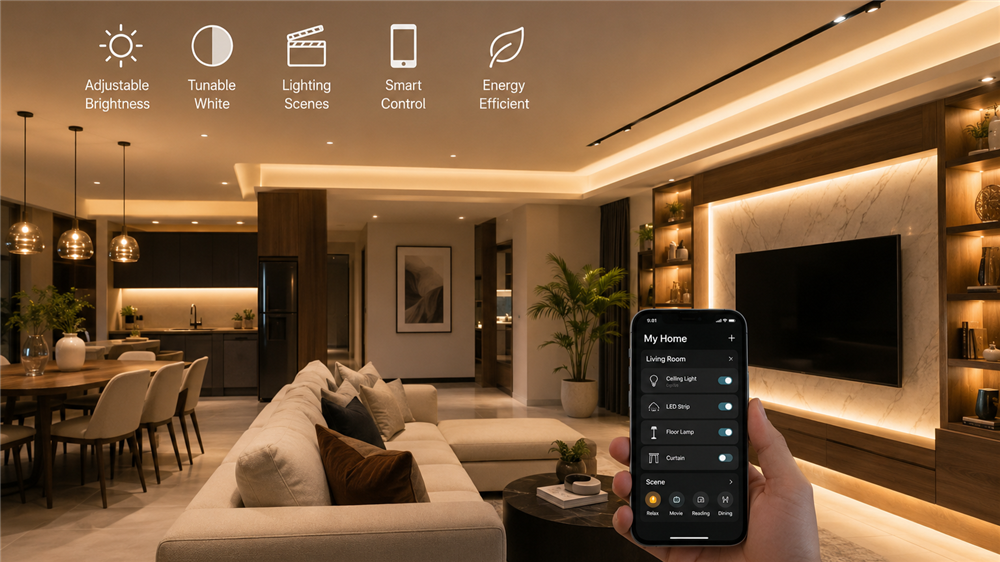
You don't need to spend thousands on renovation to make your home look more luxurious. A smart lighting system can instantly improve the atmosphere, highlight your interior design and create different moods using your smartphone, voice assistant or automation. For many Malaysian homeowners, upgrading lighting is one of the easiest and most cost-effective ways to modernise a home while improving comfort, convenience and energy efficiency.


Can smart lighting really improve my home's interior without renovation?

Yes. Smart lighting can be a game changer for your home’s appeal, with the ability to change brightness, colour temperature and lighting settings. Warmer lighting allows for a more comfortable ambiance while cooler lighting will make your area feel brighter and more expansive. These adjustments can make your current furnishings and decor look more premium without needing any structural work.


Are smart lights worth it in Malaysia?

Sure. Smart lighting is good for Malaysian homes as it is convenient, saves energy and can be changed according to different lifestyles,” he said. Whether you live in a condo, terrace house or a bungalow, you can program your lights to turn on and off automatically according to your daily routine. This will make your home more comfortable and save you money on electricity costs.


What rooms should I add smart lighting to?

Start with the rooms you use the most:

  • The living room is a room for relaxing and entertaining guests.
  • Bedroom for better sleep.
  • Kitchen to make it easier to see while you cook.
  • The home office is for getting work done.
  • Hallways and entrances are for safety and ease of use.

Start with one or two rooms to see the benefits before adding it to the rest of your home. 


What's the difference between smart bulbs and smart switches?

You can change the colours of the lights with smart bulbs, and give each bulb their own individual control. Smart switches, however, allow you to control the lights while still feeling like a regular wall switch. If you have a home with a lot of lighting fixtures, smart switches are generally a better, more scalable option.


Can smart lighting be expanded into a complete smart home?

Yes.  Smart lighting is usually the first step to a full connected smart home. Once your lighting is in place, you can easily incorporate smart door locks, security cameras, motion sensors, motorised curtains, air conditioning control and voice assistants. If you pick a compatible ecosystem from the start, upgrading in the future is much easier and cheaper.


Why Smart Lighting Matters in Malaysia

Due to the tropical climate of Malaysia, daylight changes rapidly, particularly during the rainy seasons. Hot afternoons mean many homeowners are staying inside, and the lighting inside is an important part of everyday comfort.

Open-plan layouts are becoming more common in more modern condos and landed homes, where a single lighting setup affects multiple spaces. Homeowners can use smart lighting to create different moods in the same area without making any physical changes to the layout. Electricity prices remain a concern for households, and automation features such as schedules, occupancy sensors and dimming also cut down on unnecessary energy consumption.


Real-Life Use Cases

The Living Room Entertainment

The living room is one of the best places to put smart lighting. Most families spend time together in their living room. The brighter neutral lighting creates a welcoming space for reading, cleaning, or hosting guests during the day. In the evening, with just one tap or voice command, you can switch to warm, dimmed lighting to create a cozy atmosphere for watching movies or unwinding after work.


A More Relaxed Bedroom

Smart lighting can create a healthier and more relaxing bedroom atmosphere. A bright light is helpful when you are getting ready in the morning, and a warm, dim light helps your body to relax before sleep. Set your lights to slowly increase in brightness as a gentle wake up alarm or to decrease automatically at night to help build a better bedtime routine. These little changes will not only add to your comfort, but will also make your bedroom look like a premium hotel room and you don’t have to do expensive renovations.


A Working Home Office

Now that many Malaysians are working from home at least part of the week, adequate lighting is more important than ever. Smart lighting allows you to use bright, cool white lighting during working hours for better visibility and less eye strain. Once your workday is over, you can change to a warmer lighting scene immediately to turn the office into a warm space for reading or your hobbies. This flexibility allows for a single room to serve multiple purposes, and to be a pleasant space at all times of the day. 


Tips and Best Practices

Mix Different Lighting Types

Instead of just relying on one overhead light fixture, mix ambient, task and accent lighting to create depth and balance in your home. Ceiling fixtures provide general lighting, while table lamps, LED strips and under-cabinet lights draw attention to specific areas and decorative elements. The use of various light sources increases the complexity of the interior design and contributes to the feeling of spaciousness, warmth and friendliness of rooms.


Choose the Right Color Temperature

The temperature of color has a great influence on the atmosphere of a room. Crisp white illumination is best used in kitchens, bathrooms and home offices where clarity and focus are critical. The warm white lighting is the best option for bedrooms and living rooms to create a relaxing and cozy ambiance. Using the right color temperature in each space not only enhances your furniture, flooring and wall colors, it makes each room more enjoyable to be in.


Develop a Scalable Smart Home Infrastructure

Also, consider your future needs when buying smart lighting. Look for items that are part of a cohesive smart home framework so that it is seamless to add more devices in the future. For example, after you’ve got smart lighting installed, you might want to add automated curtains, motion detectors, surveillance cameras or smart locks later on. By starting with a scalable system, you won't need to replace devices later, leading to a smoother smart home experience as your needs grow. 


Common Mistakes to Avoid

Buying Based on Price Alone

There are plenty of homeowners who go for the cheapest smart lighting they can find, ignoring things like compatibility, quality and long-term reliability. While the upfront cost might be lower, such devices often require separate apps, or are not compatible with other smart home systems. You’ll be happier with your customers and they’ll be happier with you if you work with a reliable ecosystem from the very beginning, saving you money later on by not having to replace it.


Using the Same Lighting Everywhere

It’s a common mistake to use the same brightness and color temperature throughout the house. Each room has its purpose, and the light should serve that purpose. A bright natural light might be okay for a kitchen but can look harsh in a bedroom or living area. Creating different lighting scenarios for different zones will increase comfort, make the interior look better and your home look more purposeful.


Forgetting About Automation

Some homeowners have smart lighting, but they just use it like a normal light switch and don't take advantage of many useful features. You can set schedules, create lighting scenes, and link the lights to motion sensors or voice assistants to make life easier and save energy. Automation makes your home react to your daily routine, making smart lighting a system that is much more than just remotely controlled lights.


Smart Lighting vs Traditional Lighting

Feature Smart Lighting Traditional Lighting
Brightness Control Adjustable Fixed
Colour Temperature Adjustable Usually fixed
Smartphone Control Yes No


How to Get Started

Step 1: Identify the rooms you use most

Start with spaces like the living room, bedroom, or kitchen where lighting has the biggest impact on comfort and appearance.

Step 2: Choose a compatible smart lighting ecosystem

Select devices that can grow with your future smart home plans instead of buying standalone products.

Step 3: Install smart lights or smart switches

Depending on your existing setup, you can begin with smart bulbs, smart switches, or LED light strips.

Step 4: Create lighting scenes

Set up scenes for working, relaxing, dining, entertaining, and sleeping to match your daily routine.

Step 5: Expand your smart home

Once you're comfortable with smart lighting, add smart curtains, sensors, smart door locks, cameras, or other home automation devices for a fully connected experience.


Ready to Transform Your Home?

Book a free smart home consultation with Copper Connect to discover how smart lighting can enhance your home's interior without expensive renovations. 

Smart Switch vs Smart Bulb: Which Should You Choose First?

Smart Switch vs Smart Bulb Which Should You Choose First


If you're starting your smart home journey, the right choice depends on how you use your lights. Smart bulbs are easier to install and ideal for renters or anyone wanting colourful lighting. Smart switches are better for homeowners who want a seamless smart lighting experience that works for the whole family, even when someone uses the physical wall switch. 


Smart Switch vs Smart Bulb: Which Is Better for Beginners?

Both products make your home smarter, but they solve different problems. A smart bulb replaces the light bulb itself, allowing you to control brightness, colour temperature, colours, schedules and automation through an app or voice assistant. A smart switch replaces your traditional wall switch. Instead of making the bulb smart, it controls the power supplied to your existing lights while keeping the familiar wall switch experience.


Should I Buy a Smart Switch or Smart Bulb First?

For most Malaysian homeowners, the answer depends on your home and lifestyle.

Choose a smart bulb if you:

  • Rent your home or apartment.
  • Want RGB colours and mood lighting.
  • Only want to upgrade one or two rooms.
  • Prefer DIY installation.

Choose a smart switch if you:

  • Own your home.
  • Plan to automate multiple lights.
  • Want everyone in the family to use normal wall switches.
  • Are renovating or planning a new home.

If you're building a complete smart home, many professionals recommend starting with smart switches because they create a stronger foundation for future automation.


Are Smart Switches Better Than Smart Bulbs?

Neither is better in every situation. Smart bulbs provide more lighting effects, while smart switches provide a better everyday experience. One common issue with smart bulbs is that they lose smart functions if someone turns off the wall switch. Since many Malaysian households have children, guests or elderly family members who naturally use wall switches, this can become frustrating. Smart switches solve this problem because the switch itself is intelligent. 


Can I Use Both Together?

Yes. Many modern smart home systems allow smart switches and smart bulbs to work together.

For example:

  • Smart switches control the main lighting.
  • Smart bulbs create mood lighting in bedrooms.
  • LED strips provide accent lighting.
  • Motion sensors automate hallways.
  • Voice assistants control everything from one app.

This combination gives homeowners both convenience and flexibility.


Which Option Saves More Money?

It depends on the number of lights. If a room has only one or two bulbs, smart bulbs are often the more affordable option. However, living rooms, kitchens and dining areas usually contain multiple downlights. Instead of replacing eight or ten bulbs, installing one smart switch may cost less while controlling every connected light simultaneously. This makes smart switches a cost-effective choice for larger spaces.


Do Smart Switches Need Smart Bulbs?

No. A smart switch works with most standard LED bulbs. This means homeowners can keep their existing lights while adding smart features such as:

  • Scheduling
  • Voice control
  • Remote control
  • Automation
  • Smart scenes

Many people mistakenly think they must replace every bulb before enjoying smart lighting. In reality, a smart switch is often enough to begin.


Which One Is Best for a Smart Home?

If you eventually want smart lighting, smart security, smart curtains, sensors and voice control working together, smart switches usually provide a better long-term investment. They integrate naturally into home automation systems and make daily operation easier for everyone in the household. Smart bulbs remain an excellent choice for decorative lighting, gaming rooms, bedrooms and entertainment spaces where colours and ambience matter most.


Why This Matters in Malaysia

Malaysian homes have unique layouts and lifestyles that influence which solution works best. Many landed homes have multiple downlights in living rooms, making smart switches more practical because a single switch can control several lights. Meanwhile, condominiums and rental units often limit renovation work, making smart bulbs a convenient alternative that requires no wiring changes. Smart lighting schedules can automatically brighten workspaces during productive hours and create relaxing lighting at night. 


Smart Switch vs Smart Bulb Comparison

Feature Smart Switch Smart Bulb
Existing bulbs Keep current bulbs Replace each bulb
Colour changing No (depends on bulb) Yes
Long-term automation Excellent Good


Real-Life Use Cases


Family Living Room

A homeowner in Kuala Lumpur installs one smart switch to control eight ceiling downlights in the living room. Instead of replacing every light bulb, the entire lighting circuit is controlled through a single smart switch. Family members can still use the wall switch as usual, while schedules automatically turn the lights on before sunset and off at bedtime.


Rental Apartment

A young professional renting a condominium chooses smart bulbs because they require no rewiring or permanent changes to the property. Different lighting scenes are created for working, relaxing and watching movies using a smartphone app or voice assistant. When it's time to move, the smart bulbs can simply be unscrewed and taken to the next home, making them a flexible and renter-friendly solution..


Smart Entertainment Room

A homeowner combines smart switches with RGB smart bulbs and LED light strips to create an immersive entertainment space. During movie nights, one voice command dims the ceiling lights, turns on colourful ambient lighting and closes the smart curtains automatically. The result is a cinema-like experience without manually adjusting multiple devices every time.


Tips & Best Practices


Start with your busiest room

Begin by upgrading the room you use the most, such as the living room, kitchen or dining area. Since these spaces are used daily, you'll experience the benefits of smart lighting more often. Starting with one room also allows you to learn how automation works before expanding to the rest of your home.


Think about future expansion

Choose products that can easily integrate with smart sensors, smart speakers, cameras and other automation devices. Even if you're only installing smart lighting today, selecting a compatible ecosystem makes it much easier to add new smart home features later without replacing existing devices.


Use smart scenes

Rather than controlling lights one by one, create smart scenes that automate multiple actions with a single tap or voice command. For example, a "Good Morning" scene can gradually brighten the lights and open the curtains, while an "Away Mode" can switch off all lights and activate your smart security system before you leave home.


Common Mistakes


Buying only based on price

Choosing the cheapest option may seem like a good deal, but it isn't always the best long-term solution. Consider the size of the room, the number of lights you want to control and how your family will use the system. Spending slightly more on the right product can provide greater convenience and better value over time.


Ignoring existing wiring

Not all smart switches are compatible with every home's electrical wiring. Before purchasing, check whether your home meets the installation requirements or consult a smart home specialist. This helps avoid installation issues and ensures the system performs reliably.


Mixing too many ecosystems

Buying smart devices from different brands without checking compatibility can lead to multiple apps and inconsistent automation. Choosing products that support the same smart home ecosystem allows your lights, sensors, security devices and voice assistants to work together more smoothly.


How to Get Started


1. Decide your goal

Choose whether you want colourful mood lighting, everyday convenience or a complete smart home system.

2. Count your lights

Rooms with many ceiling lights often benefit more from smart switches, while rooms with one or two fixtures are ideal for smart bulbs.

3. Check your home type

Renters may prefer smart bulbs because they require no wiring changes. Homeowners planning renovations should consider smart switches.

4. Choose a compatible ecosystem

Select products that work with your preferred smart home platform so future devices integrate easily.

5. Book a smart home consultation

A professional consultation helps you choose the right combination of smart switches, smart bulbs, sensors and automation based on your home's layout.


Ready to upgrade your house to smart home?

Book a FREE smart home consultation with Copper Connect  to discover the best smart lighting, smart security and home automation solution for your home.

When Should You Plan Your Smart Home During Renovation?

When Should You Plan Your Smart Home During Renovation


The optimum time to plan your smart home is before the renovation, ideally when you’re designing the interior and planning the electrical work. This lets your contractor, electrician and smart home consultant plan the appropriate wiring, switch positions and device placements before construction starts. This translates into a cleaner installation, fewer modification costs and a property ready for future modifications.


When Should I Start Planning My Smart Home During Renovation?

The ideal time to plan your smart home is before any electrical work begins. Once your renovation starts, decisions such as where your switches, lighting points and power sockets will be installed become increasingly difficult to change. Planning early gives you the flexibility to design your home around your daily lifestyle instead of trying to fit smart devices into an already completed space.


Why Is It Better to Plan Before Electrical Wiring?

Electrical wiring forms the foundation of every smart home. While many wireless smart devices can be installed later, premium automation features such as smart switches, scene panels, curtain motors and integrated lighting systems are much easier to install before ceilings and walls are completed. When smart home requirements are included during the wiring stage, electricians can prepare additional neutral wires, power points and control locations without extra construction work. 


Can I Still Install a Smart Home After Renovation?

Yes, absolutely. Many homeowners begin their smart home journey after moving into their new house, and there are plenty of wireless devices that can be added without major renovation work. Products such as smart bulbs, smart plugs, robot vacuums, indoor security cameras and smart speakers can usually be installed within minutes.


Which Smart Home Features Should Be Planned Early?

Although not every smart home product requires renovation work, several important features should be considered during the planning stage. Smart lighting systems, motorised curtains, scene panels, ceiling-mounted sensors and security cameras all benefit from early planning because they often involve electrical wiring or precise installation locations. Planning ahead also gives you room to expand. 


Will Planning a Smart Home Increase My Renovation Budget?

The biggest misconception is that you have to spend more money on smart home planning. In fact, homeowners can typically save money with early planning. If you add smart gadgets later without sufficient planning, you may have to replace newly installed switches, reopen finished walls or move electrical points. These subsequent renovation operations can easily cost more than preparing the infrastructure in the first remodelling.


Why Early Planning Matters for Malaysian Homes

Malaysia's climate and lifestyle make smart home automation particularly valuable. Hot afternoons, unpredictable weather and increasing electricity costs have encouraged many homeowners to look for smarter ways to manage their homes. Imagine arriving home after work. Instead of walking into a dark, warm house, your lights can switch on automatically, your curtains can close before the afternoon sun heats the living room and your air conditioner can begin cooling the space before you arrive. These simple automations improve comfort while helping homeowners use energy more efficiently.


Real-Life Use Cases


Smart Lighting During Renovation

Once the renovation is done, a homeowner may want to get smart lighting, but the existing wiring and switch placement may not accommodate this. Smart lighting is best planned early on. Smart switches, LED strips and lighting zones can be incorporated into the electrical design from the outset, leading to a cleaner and more integrated installation.

Automated Curtains 

Motorised curtains are becoming increasingly popular in Malaysian homes, especially in rooms exposed to strong afternoon sunlight. However, curtain motors require suitable power points and installation space. Planning them during renovation ensures the wiring and curtain tracks can be properly concealed instead of relying on visible cables later. 

Smart Security for Better Protection

Homeowners moving into a new house often install security cameras, smart door locks and sensors. Deciding on the location of these devices during restoration makes better coverage and cleaner installation easier. This is especially helpful for landed properties with several entrances and outdoor spaces.


Best Practices for Planning


Start Before Electrical Work

Before the electrical wiring goes in is the best time to talk about smart home automation.” This allows your contractor and smart home specialist enough time to design the positions of switches, power points and wiring needs without having to change walls or ceilings that are already done. 


Plan Around Your Lifestyle

Don’t buy smart devices just because they’re popular, but think about how automation can help you enhance your everyday routine. For example, a homeowner that tends to forget to turn off the lights may benefit from automated lighting scenes, while a family that spends a lot of time outside may prefer smart security.


Leave Room for Future Upgrades

You don’t have to build a smart house all at once. For example, if you start with smart lights, then arranging your electrical layout and network infrastructure properly might make it easier to add smart curtains, sensors and security devices later.


Common Mistakes to Avoid


Waiting Until Renovation Is Complete

One of the most common mistakes is only thinking about smart home automation after the renovation has finished. By then, adding certain features may require additional hacking, rewiring and repainting, which can increase both costs and installation time.


Buying Incompatible Devices

Not every smart gadget is compatible with every ecosystem. If they purchase products from several companies without verifying compatibility, they would end up with multiple apps and a difficult user experience. Selecting compatible equipment from the outset will produce a more reliable and convenient smart home.


Focusing Only on the Devices

Many homeowners focus on which smart products to purchase but forget about the infrastructure needed to support them. Wi-Fi coverage, electrical wiring and device placement are all important parts of a successful smart home. Planning these elements early can prevent connectivity and installation problems later. 


Planning Before Renovation vs After Renovation


Before Renovation After Renovation
Cleaner installation with hidden wiring May require exposed wiring or additional modifications
Lower installation costs Higher labour and renovation costs
Easier future expansion More complicated to expand later


How to Get Started

If you're planning to renovate your home, start by thinking about how you want to live rather than which gadgets you want to buy. Consider your daily routine, your family's habits and the areas of your home where automation would make the biggest difference.

Next, discuss your ideas with your interior designer and arrange a consultation with a smart home specialist before electrical work begins. Together, you can create a plan that matches your renovation budget while leaving room for future upgrades.


Ready to Build a Smarter Home?

Schedule a  FREE smart home consultation with Copper Connect today or visit our showroom to discover how smart home planning can transform your renovation into a truly connected living experience.

How to Choose the Right Smart Home Ecosystem Before You Buy

How to Choose the Right Smart Home Ecosystem Before You Buy


The best smart home ecosystem will depend on what devices you already have, which voice assistant you like and what you plan to add in the future. Instead of buying individual smart devices at first, go for an ecosystem that is universally compatible and includes lighting, security, entertainment and automation under one platform. 


What is a smart home ecosystem? 

A smart home ecosystem is the platform that connects all of your smart gadgets into one system. With an ecosystem, you can manage everything from a single app or voice assistant, instead of having to handle each product with a different app. Such as Apple Home, Google Home, Amazon Alexa, Samsung SmartThings and ecosystems supporting the Matter standard.


Why should I choose an ecosystem before buying devices?

Plan first so you don’t have compatibility issues down the road. Many homeowners buy smart bulbs, cameras, switches and sensors from different brands only to realise they can’t talk to each other. Picking an ecosystem first means that all new devices will integrate with your smart home without any issues. It also makes automation a lot easier. 


Which smart home ecosystem is best for Malaysian homes?

There isn't one perfect answer because every homeowner has different needs.

For example:

  • Apple users often prefer Apple Home.
  • Android users usually find Google Home more convenient.
  • Families with many different smart devices often choose SmartThings because of its broad compatibility.
  • Homeowners planning long-term upgrades should also consider Matter-compatible products for greater flexibility.

The best ecosystem is one that matches your lifestyle instead of simply following trends.


Can I mix different smart home brands?

Yes but only if they support the same ecosystem or communication standard. Many reputable brands now support Matter, Google Home, Apple Home, Alexa, or SmartThings. This allows homeowners to combine products from multiple manufacturers without sacrificing automation. However, always verify compatibility before purchasing. 


Is Matter changing smart homes?

Yes. Matter is one of the biggest leaps forward in home automation as it makes it much easier for certified devices from different vendors to operate together. Matter is also more flexible for future upgrades, rather than being tied to one manufacturer. More manufacturers are adopting Matter, which should make compatibility difficulties much less of a problem.


Do I need professional installation?

Not always. Simple goods like smart lamps or smart plugs may usually be set up by oneself. Smart switches, curtain motors, security systems, smart door locks and complete home automation may be planned and installed best by professionals to ensure dependable operation, correct wiring and better automation design. 


Why Choosing the Right Ecosystem Matters in Malaysia

Many Malaysian homeowners start off with one or two smart gadgets and then build up their system over time. What begins as a smart light bulb quickly becomes automated lighting, motorised curtains, smart locks, security cameras, air conditioning management and energy monitoring. In the absence of a well-defined ecosystem, every new device could mean a new mobile app, a new login, and a new learning curve. It makes the smart home feel more complex, not more convenient.


Real-Life Use Cases


New Condo Owners

A couple moves into their new condominium in Kuala Lumpur and installs smart switches, smart lighting, curtain motors, and a video doorbell. Because all devices are connected through the same ecosystem, they can activate a "Leaving Home" scene with one tap that turns off every light, closes the curtains, arms the security sensors, and switches off unnecessary appliances.


Growing Families

Parents automate their hallway lights with motion sensors, schedule children's bedroom lights for bedtime, and receive alerts whenever the main door opens after school. Everything is managed from one app, making daily routines easier and improving home security.


Home Renovation Projects

During renovation, homeowners choose smart switches instead of relying only on smart bulbs. This provides manual control, voice control, and automation while keeping the house functional even if guests do not use the mobile app.


Tips and Best Practices


Plan Beyond Today's Needs

Think of the intelligent devices you'd want to possess in the future three to five years. You may begin with smart lighting today and later add security cameras, smart locks, curtains or energy management. Choosing a scalable ecosystem will save you from having to replace equipment later on.


Prioritise Compatibility

Before buying, check whether a product supports your favourite ecosystem. If you want a smart home you can trust, compatibility is more important than having the latest features.


Choose Reliable Network Infrastructure

You need a reliable Wi-Fi network for smart home experiences. For larger Malaysian houses, a mesh Wi-Fi system could be useful to keep all smart devices linked.


Common Mistakes


Buying Based Only on Price

Cheaper devices can become expensive if they cannot integrate with your existing system. Compatibility should always come before price.


Using Too Many Apps

Managing every device through separate applications quickly becomes frustrating. A unified ecosystem creates a much better user experience.


Ignoring Future Expansion

Many homeowners only think about today's needs. Later, when they want to add smart security or motorised curtains, they discover their original devices cannot integrate properly.


Smart Home Ecosystem Comparison

Ecosystem Best For Strengths Considerations
Apple Home iPhone user Excellent privacy, simple interface Internet connection enhances many features
Google Home Android users Strong voice control, wide device support Internet connection enhances many features
Amazon Alexa Voice automation Extensive smart device compatibility Some services have limited local availability


How to Get Started

Start by deciding which smartphone ecosystem your family already uses. Next, make a list of the smart features you want today and those you may add in the future.

Then choose smart products that support your preferred ecosystem and are designed to work together. If you're renovating or building a new home, consulting a professional before installation can help avoid costly compatibility issues later.


Looking for smart home solutions?

Schedule a FREE smart home consultation with Copper Connect today and our smart home experts will help you recommend products that work seamlessly together. 

10 Home Automation Routines That Save Time Every Day

10 Home Automation Routines That Save Time Every Day


Home automation routines can help you save time by automating repetitive actions in your house such as turning on and off lights, adjusting curtains, air conditioning and boosting home security. The major benefits for Malaysian homes are usually morning routines, energy-saving schedules and automatic arrival or bedtime scenes.


1. What is a home automation routine?

A home automation routine is a collection of smart devices that automatically executes tasks based on schedules, triggers, location or conditions. For example, at 7 a.m. the curtains can open, the lights can turn on slowly, the air-conditioner can start cooling and your favourite music can start playing.


2. Can smart home routines actually save time?

Yes. Research from smart home studies shows homeowners often benefit most from reducing repetitive daily actions rather than simply adding convenience. Even saving 5–10 small actions every day adds up over months. This means no walking around turning off lights, no checking whether doors are locked and no manually opening curtains. 


3. Are smart home routines suitable for Malaysian homes?

Absolutely. Malaysia’s hot climate, frequent use of air conditioning, condo living, and busy urban lifestyles make automation especially practical. Popular local use cases include cooling bedrooms before sleep, automatically closing curtains during afternoon heat, and using security automation when travelling during long weekends. 


4. Do I need a fully smart house to start?

No. Most homeowners start with smart switches, smart lighting and smart curtains before moving on to smart security, smart sensors and multi-room automation. Typically, it is better to start modest and work toward longer-term acceptance.


5. Will automation increase electricity bills?

Not quite. Good automation is mostly about reducing wasteful energy use by devices only working when they need to. This includes planned air conditioning and occupancy-based lighting.


6. What routine should beginners install first?

For most Malaysian homes, the best routines to start with are Arrival Home Routine, Sleep Routine, and Away Mode, since these usually create immediate daily value and make everyday living feel noticeably more convenient.


10 Home Automation Routines That Save Time Every Day


1. Good Morning Routine

Imagine waking up and your home is already preparing for the day. In this routine, the curtains automatically open, the lights in the bedroom gradually increase, the lights in the living room turn on, and the air conditioner adjusts for a comfortable start to the morning.


2. Leave Home Routine

This routine works with one tap or automatic detection when you leave the house. It turns off all lights, switches off selected appliances, activates the security system, and locks the doors. This routine removes the “Did I forget something?” moment.


3. Arrive Home Routine

When you arrive home, the entrance lights turn on, the curtains close, the air conditioning activates, and the ambient lighting adjusts to welcome you in. Useful for returning during Malaysia’s hot afternoons.


4. Movie Night Routine

One scene transforms the room by dimming the lights, closing the curtains, and turning on the entertainment devices, so everything is ready the moment you sit down. It is simple but surprisingly effective because it removes the small setup steps that usually interrupt the experience. 


5. Bedtime Routine

This popular preferred routine works with one command to turn off the lights, lock the doors, activate night illumination and change the room temperature. It makes the end of the day easier, minimizes the chances of forgetting things and makes nighttime seem more effortless.


6. Energy Saving Routine

This routine starts when rooms are vacant, or daylight is detected, or certain schedules are met. It switches off the lights, controls the air-conditioner and employs drapes to prevent heat gain.


7. Smart Security Routine

Automation can involve layers of protection, including motion alerts, camera activation, door-opening notifications and presence simulation while you’re away.


8. Rain Protection Routine

This routine is quite handy for Malaysian weather and is triggered by a rain sensor. It closes the motorized curtains, gives alerts and helps protect the internal spaces.


9. Work From Home Routine

This routine follows a schedule that adjusts lighting for productivity, reduces glare, and activates focused zones. Especially useful for hybrid workers.


10. Weekend Relaxation Routine

This routine creates a more relaxed atmosphere with later curtain opening, softer lighting, and an entertainment setup. Small changes can make weekends feel different from weekdays.


Why Home Automation Matters in Malaysia

A smart home routine helps reduce micro-decisions throughout the day. One common experience shared by homeowners during smart home consultations is that people initially buy automation for convenience but continue using it because it removes dozens of tiny daily tasks they did not realise were repetitive. That shift often becomes more valuable than remote control itself. 


Real-Life Use Cases


Condo Owner

Uses arrival automation to cool the unit before reaching home. For example, a condo owner in Kuala Lumpur sets the air conditioner to switch on 20 minutes before arriving home from work, so the house feels comfortable the moment they walk in. 


Family Household

Morning scenes reduce chaos before school and work. For example,a family in Johor Bahru uses a morning routine that opens the curtains, turns on the kitchen lights, and starts the air conditioner before the children leave for school.


Frequent Traveller

Away Mode manages lighting and security automatically. For example, a homeowner travelling during the holidays activates Away Mode so selected lights turn on at night, giving the impression that someone is still home.


Tips & Best Practices


Start with routines, not devices. 

Ask yourself, “What do I repeat every day?” This helps you focus on the actions that matter most instead of buying smart products without a clear purpose. 


Create manual override options

so your smart home remains flexible. Automation should make life easier, but you should still be able to control everything manually when needed. 


Prioritise high-frequency actions. 

Focus on routines used every day because these deliver the most noticeable time savings and convenience. 


Common Mistakes Homeowners Make


Ignoring smart lighting scenes 

Lighting is one of the easiest and most useful ways to improve comfort and convenience. 


Forgetting future expansion 

Your setup should leave room for more devices and routines as your needs grow 


Buying random smart devices without planning 

This often leads to devices that do not work well together or do not solve any real daily problem. 


Comparison: Manual Home vs Automated Home

Daily Activity Manual Home Smart Routine
Turn off the lights Walk room to room Automatic
Close curtains Manual Scheduled
Security checks Physical check Automated


How to Get Started

Step 1: Identify 3 repetitive daily tasks
Step 2: Choose one room to automate first
Step 3: Add smart lighting and smart switches
Step 4: Expand into smart security and automation scenes
Step 5: Fine-tune based on real usage


Save Time Daily With Smarter Living

Book a FREE consultation with Copper Connect and discover which automation routines fit your home and lifestyle.

7 Smart Lighting Scenes Every Malaysian Home Should Have

7 Smart Lighting Scenes Every Malaysian Home Should Have


Smart lighting is no longer just about turning lights on and off using your phone. Today, homeowners in Malaysia are creating smart lighting scenes that automatically adjust brightness, colour temperature and multiple devices based on their daily routine. With one tap, your home can switch from work mode to movie mode, welcome you home after a long day, or prepare your bedroom for sleep. The best part? You do not need a huge renovation project to start. Here are seven smart lighting scenes that can make everyday living feel easier and more premium.


What is a smart lighting scene?

A smart lighting scene is a combination of lighting settings that come on together automatically or with one command or one tap. For instance, Movie Night automatically dims the lights in your living room, turns on ambient lighting and switches off the hallway lights.


Do smart lighting scenes only work with smart bulbs?

No. A full smart lighting experience can also incorporate smart switches, sensors, curtains and automation controls as well.


Are smart lighting scenes suitable for condos?

Yes, many Malaysian condo owners start with lighting automation as it usually involves less renovation than bigger smart home upgrades.


Can smart lighting save electricity?

Smart lighting reduces wasteful energy use by automatically scheduling lights and shutting them off when spaces are unoccupied.


Do I need the internet all the time?

Depending on the smart home system, some automations can continue to work locally if the internet circumstances are not optimal.


Why Smart Lighting Matters in Malaysia

Malaysian homes have unique routines. People often leave home early, return after sunset, spend more time indoors due to the weather and move frequently between bright outdoor environments and indoor spaces. Traditional lighting forces homeowners to adjust lights manually throughout the day. Smart lighting scenes eliminate repetitive actions and automatically create a smoother experience. Many homeowners initially upgrade for convenience but later discover that lighting significantly changes how comfortable and premium a home feels.


1. Welcome Home Scene

Walk into a home that feels ready for you

After dealing with traffic, carrying groceries, or returning late, entering a dark house is rarely enjoyable. A Welcome Home scene prepares the space before you even reach the switch.

Typical setup:

  • Porch lights ON
  • Living room lights 70% brightness
  • Hallway lights activated
  • Warm lighting mode enabled


2. Good Morning Scene

Wake up naturally instead of suddenly

Many homeowners begin their day under bright ceiling lights. A smarter approach gradually increases brightness.

Typical setup:

  • Bedroom lights brighten slowly
  • Curtains open automatically
  • Kitchen lights turn on
  • Morning routine activates


3. Work From Home Focus Scene

Develop better focus throughout work hours

Lighting influences your workspace’s productivity and comfort levels.

Typical setup:

  • Cooler white lighting
  • Consistent brightness
  • Less glare on screen
  • Automatic adjustment to daylight hours


4. Dinner Scene

Transform Common Meals into Superior Meals

Dining areas often use lighting that feels too bright.

Adjusting lighting changes the atmosphere immediately.

Typical setup:

  • Warm lighting
  • Reduced brightness
  • Accent lights enabled
  • Kitchen lights softened


5. Movie Night Scene

Bring cinema ambience home

One of the most popular smart lighting scenes.

Typical setup:

  • Main lights OFF
  • Ambient lights ON
  • TV lighting activated
  • Curtains closed automatically


6. Away From Home Scene

Make your home look occupied

Lighting automation can help maintain activity patterns while you are away.

Typical setup:

  • Scheduled lighting
  • Random lighting intervals
  • Security lighting activated
  • Notification alerts enabled


7. Good Night Scene

End your day with one tap

Instead of checking every switch manually, automate your night routine.

Typical setup:

  • Main lights OFF
  • Bedroom lights dim
  • Motion night lights ON
  • Optional security activation


Real-Life Smart Lighting Ideas for Malaysian Homes


Condo owners

If you live in a condo, it usually makes sense to begin with the living room scene because that is the space you use most often for relaxing, entertaining guests, and spending time with family. A Good Night automation is also very practical since it helps you switch off main lights, dim bedroom lighting, and prepare the home for sleep with less effort. 


Landed homeowners

The Welcome Home scene is one of the most beneficial for landed homeowners, as it makes the house feel ready once you come in, especially after work or on rainy evenings. Security lighting is also crucial as it may help with increasing visibility around the porch, gate and exterior spaces while making the home feel safer and more active.


Families with children

Bedtime scenes may be a great tool for families with children, helping to create a more peaceful evening routine and making it simpler for kids to wind down before sleep. Study mode lighting is another practical option since it gives children a brighter and more focused environment for homework, reading, or online classes. 


Tips & Best Practices


Start with routines first

Before buying any devices, it is better to look at your daily habits and understand how your household actually uses each room. Think about what happens when everyone leaves the house, what your evening routine looks like before sleeping and which lights tend to stay on longer than necessary. 


Keep scenes simple

It is usually better to begin with a few useful scenes rather than trying to create too many complicated ones at the start. Three well-planned scenes that match your daily routine will often give you more value than fifteen scenes that are difficult to remember or use. Simple scenes are easier for everyone in the household to understand.


Combine lighting with automation

Smart lighting is much more effective when it works together with other automation tools such as sensors and smart switches. For example, a motion sensor can turn on a light automatically when someone enters a room, while a smart switch can still give you manual control whenever needed.


Common Smart Lighting Mistakes


Buying too many devices at once

One common mistake is to buy too many smart gadgets before you realize what your home actually requires. Usually, it’s best to start slow, see what works well and build over time as your pattern becomes more obvious. This method prevents you from overspending and allows you to easily develop a smart home setup that seems useful rather than cluttered.


Using the same brightness everywhere

Another mistake is to think that all rooms should be of the same degree of brightness, yet the different spaces have varied purposes. A living room can need softer lighting for a relaxing ambiance, whereas a study space might demand brighter, more focused light for reading or work. Matching brightness to the function of each place makes the home more comfortable and much easier to utilize throughout the day.


Focusing only on aesthetics

It’s easy to be distracted by the visual appeal of smart lighting. But, effective lighting should be more than just a pretty visual effect. It should also add comfort, enhance everyday routines and make the home easier to live in. If you solely focus on looks, you could end up with lighting that looks fantastic, but doesn't really accomplish much for function, convenience or long-term use.


Smart Lighting Scenes vs Traditional Lighting

Feature

Traditional Lighting

Smart Lighting Scenes

Control

Manual

Automated

Convenience

Basic

High

Personalisation

Limited

Extensive

Experience

Static

Dynamic


How to Get Started

Starting smart lighting does not require a full renovation.

Step 1: Choose one room
Step 2: Identify one routine
Step 3: Add smart lighting control
Step 4: Expand into additional scenes

Most homeowners see the biggest difference after automating only one or two daily activities.


Ready to Build Smarter Lighting Scenes?

Schedule a FREE smart home consultation with Copper Connect today and our smart home experts will help you design a lighting system that looks modern.  

Are Motion Sensor Lights Worth It? Benefits, Costs and Best Uses in Malaysia

Are Motion Sensor Lights Worth It? Benefits, Costs and Best Uses in Malaysia

Yes, motion sensor lights are worth it for many Malaysian homeowners as they offer convenience, reduce unnecessary energy use and make everyday routines easier. Motion sensor lighting can be combined with a smart home system to increase comfort and security and create a more modern living experience.


1. Do Motion Sensor Lights Save Electricity?

Light sensor lights can help to cut down on the waste of electricity as the lights will only work when they are needed. This is useful in places where lights are often forgotten, such as hallways, bathrooms and storage rooms. The biggest benefit is usually cutting down on unnecessary usage, not drastic reductions to your total bill. 


2. Are Motion Sensor Lights Good for Security?

Motion sensor lighting can increase the visibility around entrances, car porches and outdoor walkways. Automatic lighting makes the house feel more alive and comfortable to move around in at night. At Copper Connect, we often pair motion lighting with smart security and automation systems to create a connected experience, rather than standalone devices.


3. Where Should You Install Motion Sensor Lights?

The best spots for motion sensor lights are places with short-term movement. In general, entrance areas, staircases, bathrooms, wardrobes and hallways benefit the most. Instead of placing sensors everywhere, focus on the places where automation makes life easier. Good placement can often be more important than adding more devices.


4. How Much Do Motion Sensor Lights Cost in Malaysia?

The cost will depend on whether you opt for a standalone motion sensor, smart switch integration or a full smart lighting package. Pricing is also affected by the number of zones and installation complexity. Homeowners who add motion lighting in the renovation often have a cleaner install and more long-term flexibility. 


5. What Are Motion Sensor Lights?

Motion sensor lighting automatically switches on when it detects movement and switches off after a period of inactivity. Unlike traditional switches, they react to activity without manual control. Smart motion sensors today can also be integrated with smart lighting systems, allowing home owners to set up schedules, automation scenes and customized lighting behaviour.


6. Motion Sensor Lights or Smart Switches?

Motion sensor lights are intended for hands-free convenience, while smart switches provide more control via apps and automation settings. Many homeowners do a little of both using motion sensors in utility spaces and smart switches in bedrooms and living areas, for example, to add flexibility.


Why Motion Sensor Lights Matters in Malaysia

Malaysian homes often include multiple spaces that stay occupied throughout the day, making automation more useful than many people expect. Motion lighting reduces the need to constantly think about switching lights on and off. As more homeowners plan smart homes during renovation, motion sensor lighting has become one of the easiest upgrades for improving comfort  


Real-Life Use Cases


Coming Home With Full Hands

One of the most practical places to use motion sensor lights is at the home entrance. Imagine arriving home carrying groceries, shopping bags or luggage and not needing to search for a switch in the dark. Motion sensor lighting automatically turns on as you enter, creating a smoother and more convenient arrival experience.


Late-Night Bathroom Trips

Motion sensor lights are particularly useful in the bathroom for nighttime use. Instead of a bright ceiling light that can be hard on the eyes, the lighting will automatically turn on when it senses movement.


Car Porch and Outdoor Areas

Outdoor spaces often feature motion sensor lighting in areas like car porches, side entrances and walkways. Automatic lighting makes it easier to see when coming home, so it is more comfortable to park in the dark or walk into the house.


Tips & Best Practices for Motion Sensor Lighting


Install Sensors Only Where They Add Real Convenience

Motion sensor lights are ideal for areas where people come and go and don’t stay for long periods. The best experience is often found in spaces such as hallways, bathrooms, stairways, entrances and wardrobes.


Set timer duration & sensor sensitivity

Settings matter a lot for daily use. The lights could go off while an occupant is still in the space if the timer is too short. Sensitivity is too high and lights turn on for small movements. Tweaking these settings to the household’s habits helps to create a lighting experience that feels automatic without being distracting. 


Integrate Motion Sensors With a Smart Home System

Motion sensors become more powerful when connected with a wider smart home setup. Instead of simply turning lights on and off, sensors can trigger multiple actions such as activating selected lighting scenes, turning on air conditioning, or enabling security routines.


Common Mistakes to Avoid


Installing Motion Sensors in Every Room

A lot of homeowners believe that more automation equals a better experience, but that’s not always true. In bedrooms, living rooms and entertainment spaces, movement detection is often less useful than manual control or smart scenes.


Ignoring Sensor Placement During Installation

Even high-quality motion sensors may not perform well if installed incorrectly. Sensors placed directly facing windows, moving curtains, outdoor traffic, or areas with frequent movement can activate unnecessarily.


Treating Motion Lighting as a Standalone Upgrade

Another common mistake is focusing only on adding motion sensors without considering overall lighting design. Motion automation should complement the brightness, colour temperature, and layout of the home.


Motion Sensor Lights vs Smart Switches 

Feature  Motion Sensor Lights  Smart Switches 
Customisation  Moderate  High
Hands-free operation  Excellent  Manual or app 
Whole-home automation  Good  Excellent 


How to Get Started

If you are exploring motion sensor lighting for the first time:

Step 1: Identify areas where lights are often forgotten
Step 2: Decide whether convenience or security is the main goal
Step 3: Select standalone or smart-integrated solutions
Step 4: Plan automation early if renovating
Step 5: Consult a smart home specialist


Thinking about adding motion sensor lights to your home?

Book a FREE smart home consultation with Copper Connect and discover how smart lighting can make your home more comfortable, efficient, and future-ready.